Просмотр новости
Найдите то, что Вас интересует
 Спутники
 РН
РН SpaceX
 Роскосмос
 NASA
NASA
СпутникиРНSpaceXРоскосмосNASAPreviewed in a recent Canary build, Google’s Pixel 11 Pro Fold ships with the “App Handles” multitasking feature that’s a welcome addition to the experience.
more…
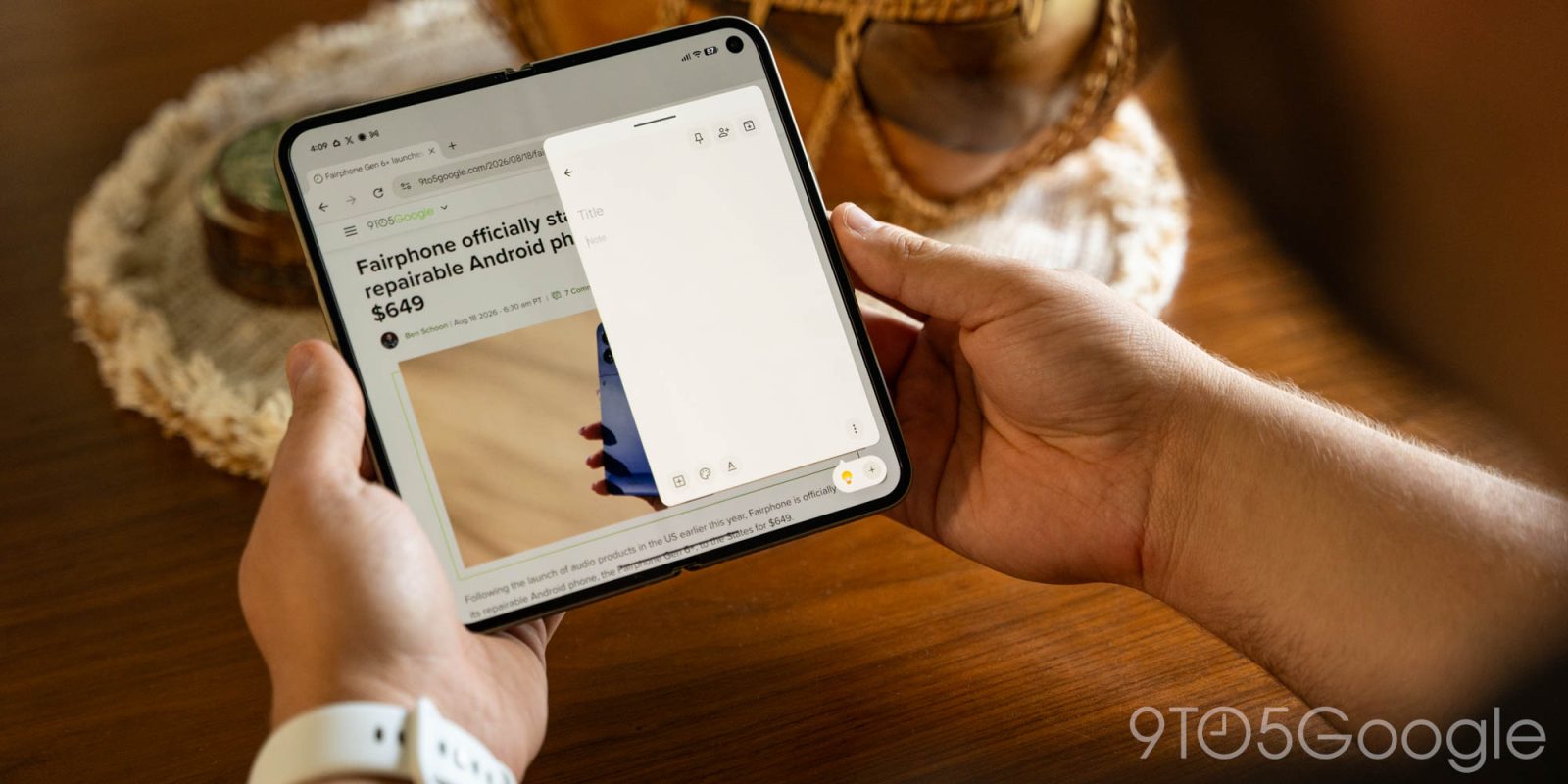
Previewed in a recent Canary build, Google’s Pixel 11 Pro Fold ships with the “App Handles” multitasking feature that’s a welcome addition to the experience.
Built on top of “Bubbles,” this new “App Handles” feature is essentially a dock for floating windows. You can pick any app and drag it off to the far bottom-right corner of the display, and it will launch into a floating window that’s locked into that spot rather than loosely floating around the UI. But it still pops up over whatever else you’re doing.
The biggest benefit is a swipe-up gesture from that bottom corner that activates the app, hence the name “App Handles.”
You can store multiple apps in this location, switching back and forth as needed. It’s almost like adding a whole second layer of multitasking. You can still put two apps side-by-side on the inner display, with a little pop-up phone that can be running its own apps in a window on that larger canvas.
Over my first week with the Pixel 11 Pro Fold, this has been my favorite feature. Despite having used a Galaxy Z Fold series device for years with floating windows, I’ve never really used them as they can be a bit finicky. But Google’s implementation of “App Handles,” especially the quick access gesture, has me immediately finding value in it. It’s also nice that when you close the display, whatever apps were set up as a “Handle” just turn into a “Bubble” on the cover display.
Unlike full split screen, it’s a way to multitask without getting in the way. As useful as a foldable’s inner display is for side-by-side multitasking, that’s not always what I want to do, whether that be for formatting errors in the app, wanting the full canvas for one app, or any other number of factors.
Some quick examples of how I’ve been using this:
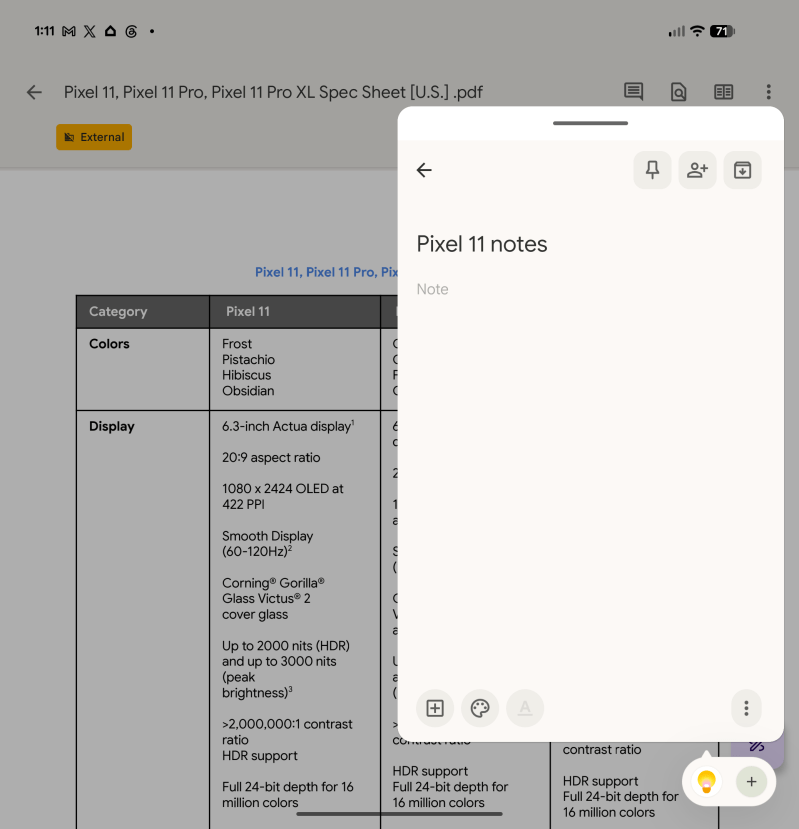
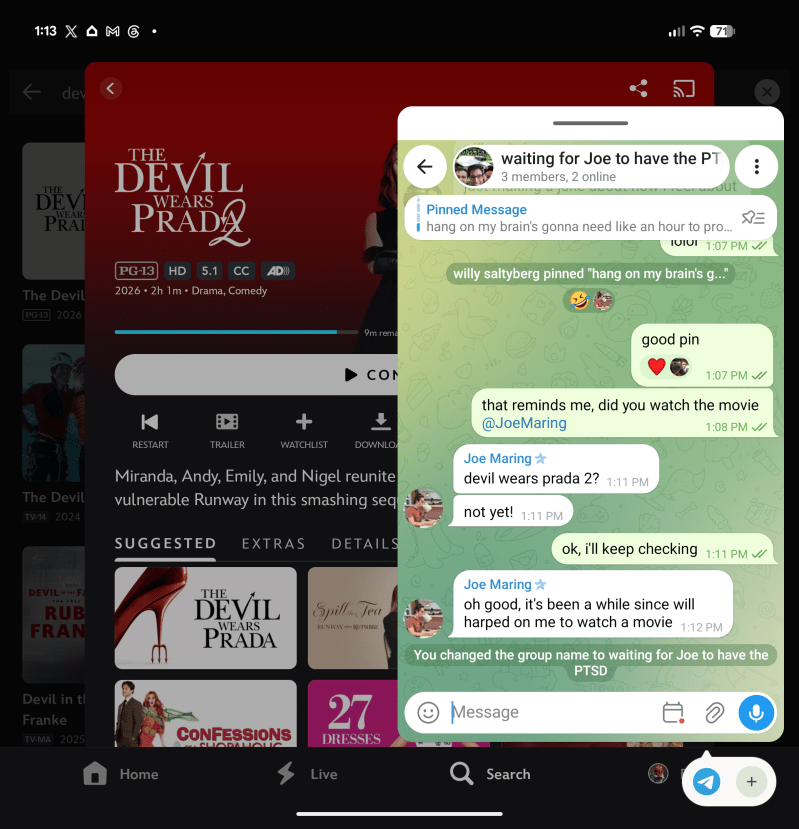
There are a ton of use cases for this, and you’ll probably find at least one that’s unlike how anyone else will use it.
This is probably my favorite new foldable feature since “Open Canvas” on 2023’s OnePlus Open, and this one might even have more utility in real life.
I really hope other Android brands, Samsung in particular, jump on adopting this one.
Pixel 11 Pro Fold is now available and it’s likely that “App Handles” will come to previous generations in upcoming Android updates.
More on Pixel 11:Follow Ben: Twitter/X, Threads, Bluesky, and Instagram


FTC: We use income earning auto affiliate links. More.
| # | Наименование новости | Тональность | Информативность | Дата публикации |
|---|---|---|---|---|
| 1 | Android’s upcoming ‘App Handles’ will bring clever multitasking to Pixel Fold [Video] | 0 | 19.9 | 07-08-2026 |
| 2 | Google pushes for Android apps to better support ‘ultra-wide foldables’ like Galaxy Z Fold 8 | 0 | 22.98 | 23-07-2026 |
| 3 | The Pixel 11 ditches the ‘Powered by Android’ boot logo for Gemini Intelligence | 0 | 18.61 | 20-08-2026 |
| 4 | Google teases Pixel 11 Pro Fold ahead of August 12 launch | 0 | 15.44 | 08-08-2026 |
| 5 | Google Pixel 11 Series Review: The Experience Is The Upgrade | 0 | 12.52 | 19-08-2026 |
| 6 | Arriva “Call for me”, la nuova funzione di Gemini Intelligence esclusiva dei Pixel 11 | 0 | 8.56 | 24-09-2026 |
| 7 | The ‘cheap smartphone era is over’ and price hikes are ‘permanent,’ bleak forecast reveals | 0 | 25.3 | 26-08-2026 |
| 8 | Samsung Galaxy Z8 Series Hands-On Live From Unpacked 2026 | 0 | 16.92 | 22-07-2026 |
| 9 | Google Pixel 11 lineup launched with prices starting at $899 | 0 | 16.01 | 12-08-2026 |
| 10 | Android 17 QPR2 Beta 6 is rolling out: unexpected reboots and kernel crash fixes lead the way | 0 | 15.92 | 25-09-2026 |